
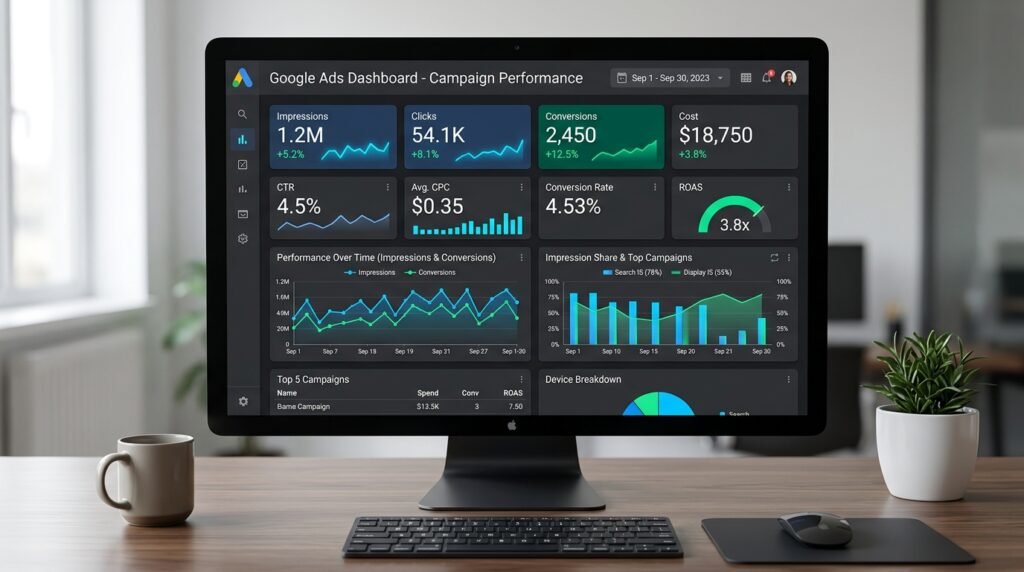
100 Important Google Ads Interview Questions & Answers
Whether you are interviewing for a Junior PPC Specialist, Senior Media Buyer, or Performance Marketing Lead role, this master guide covers everything from core fundamentals and Smart Bidding algorithms to Consent Mode v2, PMax architecture, and real-world scenario management.
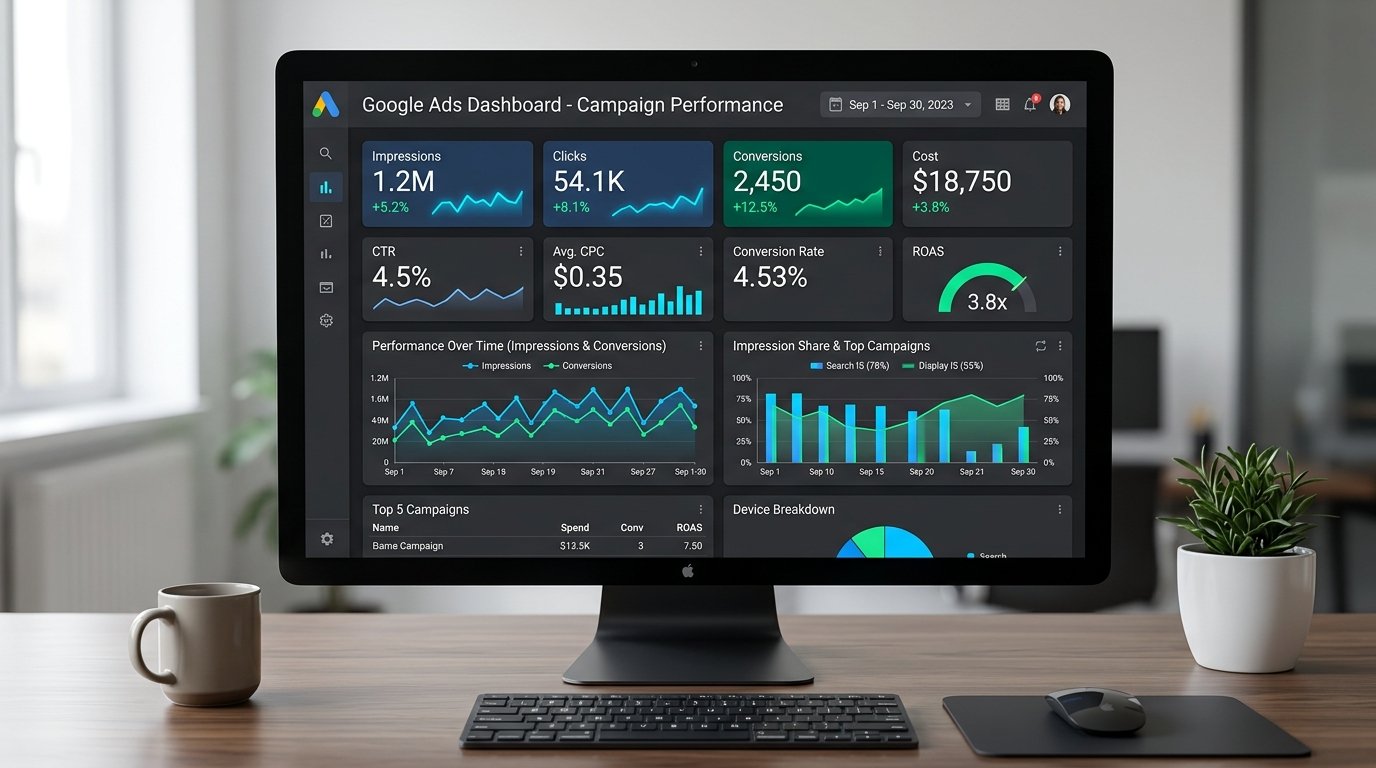
Table of Contents (Jump to Section)
- 1. Fundamentals & Campaign Architecture (Q1 – Q15)
- 2. Keyword Strategy, Match Types & Search Intent (Q16 – Q28)
- 3. Quality Score & Landing Page Optimization (Q29 – Q38)
- 4. Ad Creatives, Assets & Extensions (Q39 – Q50)
- 5. Bidding Strategies & Budget Management (Q51 – Q65)
- 6. Analytics, Metrics & Calculation Formulas (Q66 – Q77)
- 7. Conversion Tracking, Data & Privacy (Q78 – Q86)
- 8. Audience Targeting & Remarketing (Q87 – Q93)
- 9. Advanced Formats: PMax, Demand Gen & Video (Q94 – Q98)
- 10. Real-World Troubleshooting & Scenario Management (Q99 – Q100)
SECTION
1. Fundamentals & Campaign Architecture
Q1. What Is Google Ads & How Does It Work?
Q2. What Are The Different Types Of Google Ads Campaign?
- Search Campaigns: Text ads appearing on Google Search Results Pages (SERPs) triggered by user keyword queries with high commercial intent.
- Performance Max (PMax): Goal-based automated campaigns accessing all Google channels (Search, Display, YouTube, Discover, Maps, Gmail) from a single campaign using asset groups and AI bidding.
- Display Campaigns: Visual banner and responsive display ads across 3M+ websites and apps for brand awareness and retargeting.
- Shopping Campaigns: Product listing ads (PLAs) featuring product image, title, price, and store name fed via Google Merchant Center.
- Video Campaigns: Video ad formats served across YouTube and Google video partners (Skippable In-Stream, Non-skippable, Bumper, Shorts).
- Demand Gen Campaigns: Visual, AI-powered social-first campaigns across YouTube, Shorts, Discover, and Gmail designed to capture mid-funnel demand.
- App Campaigns: Automated app installs and in-app action campaigns across Google Search, Play, YouTube, and GDN.
Q3. What Is The Difference Between Budget & Bid?
Bid is the maximum amount an advertiser is willing to pay for an individual user interaction (such as a click [Max CPC], 1,000 impressions [CPM], or a video view [CPV]). Bids directly influence the Ad Rank in each individual auction.
Q4. What Is The Difference Between CPM, CPV, and CPC?
- CPC (Cost-Per-Click): Advertisers pay only when a user actively clicks on their ad. Standard for Search, Shopping, and direct-response Display campaigns.
- CPM (Cost-Per-Thousand Impressions): Advertisers pay for every 1,000 times their ad is rendered, regardless of clicks. Best for brand awareness and upper-funnel display/video campaigns.
- CPV (Cost-Per-View): Used exclusively in Video campaigns where advertisers pay when a user watches 30 seconds of a video (or the full duration if shorter) or engages with an interactive element (e.g., clicking a CTA).
Q5. What Is Google Ads Express (Smart Campaigns)?
Q6. What Are The Targeting Options In Google Ads?
- Audience Targeting (Who): Demographic targeting (age, gender, parental status, household income), In-Market audiences (actively researching purchases), Affinity audiences (lifestyle/habits), Custom Segments (based on search terms, URLs, or apps), Customer Match (first-party CRM email/phone lists), and Website/App Remarketing lists.
- Contextual & Placement Targeting (Where): Keywords (Search and Display context), Topics (broad website themes), Specific Placements (chosen YouTube channels, videos, or websites), Geographic Locations, Devices (desktop, mobile, tablet, TV screens), and Ad Scheduling (dayparting).
Q7. What Is Ad Rank and How Is It Calculated?
Even if a competitor bids higher than you, a significantly higher Quality Score and richer ad asset extensions can award you the top position at a lower cost.
Q8. What Is The Google Ads Auction & First-Page Bid Estimate?
First-Page Bid Estimate is the approximate bid required for your ad to appear anywhere on the first page of Google search results for a given keyword under typical auction conditions.
Q9. What Is The Maximum Length / Character Limits for Search Ads?
- Headlines: Up to 15 headlines, maximum 30 characters each.
- Descriptions: Up to 4 descriptions, maximum 90 characters each.
- Display URL Paths: Up to 2 path fields, maximum 15 characters each (appended to your final domain).
Google dynamically combines up to 3 headlines and 2 descriptions depending on query context and screen size.
Q10. What Is The Difference Between Display URL and Final Destination URL?
example.com/running-shoes). It uses the domain of the final URL plus up to two optional 15-character path fields.Final Destination URL is the actual page on your website where users arrive after clicking your ad. It can include tracking parameters, UTM codes, or deep links.
Q11. What Is The Maximum Length Of The Destination URL?
Q12. Can You Directly Link Product Brochure PDF In Your Ads?
.pdf, .doc, or .exe files) will cause ad disapproval under the ‘Destination Requirements / Unresponsive Page’ policy.
Q13. Does Google Page Rank Help You Maintain The Quality Score?
Q14. How To Use Google Ads Editor?
- Make mass changes to bids, keywords, ad copy, and budgets across thousands of campaigns simultaneously.
- Copy, paste, and clone campaign structures and ad groups effortlessly.
- Review changes offline and check for policy errors before posting live.
- Import and export CSV spreadsheets for bulk campaign creation.
Q15. What Are Automated Rules & Scripts In Google Ads?
Google Ads Scripts use JavaScript within the account to execute advanced workflows, such as checking for 404 broken URLs across thousands of ads, pausing ads based on real-time weather APIs, or pushing custom hourly spend alerts to Slack.
SECTION
2. Keyword Strategy, Match Types & Search Intent
Q16. What Are The Different Keyword Match Types In Google Ads?
- Exact Match
[keyword]: Matches queries with the exact same meaning or search intent as the keyword, including misspellings, singular/plural, abbreviations, and reordered words without changing intent. - Phrase Match
"keyword": Matches queries that include the meaning of your keyword. Words can appear before, after, or between the terms as long as the core meaning is preserved. - Broad Match
keyword: Matches queries related to your keyword, including synonyms, related searches, relevant variations, and concepts inferred by Google’s semantic language models.
Q17. What Happened To Broad Match Modifier (BMM)?
+keyword) in 2021. The functionality of BMM was absorbed directly into Phrase Match. Phrase match now covers the search behaviors that previously required the + syntax while respecting word order and user intent.
Q18. What Are Negative Keywords and How Do They Work at Account, Campaign, and Ad Group Levels?
- Account-Level Negatives: Applied universally across all search and shopping campaigns in the entire account.
- Campaign-Level Negatives: Exclude queries for specific campaigns (e.g., adding competitor brand names to a generic product campaign).
- Ad Group-Level Negatives: Prevent keyword cannibalization between tightly themed ad groups (e.g., negating ‘cheap’ in a luxury ad group).
Q19. What Are Negative Keyword Lists and How Do You Prevent Keyword Cannibalization?
To prevent keyword cannibalization (where multiple ad groups compete for the same query), marketers use cross-ad-group negative keywords—ensuring higher-intent, exact-match campaigns capture exact queries while broader discovery campaigns capture long-tail variations.
Q20. How To Perform Keyword Research For Google Ads?
- Using Google Keyword Planner to discover search volume, historical CPC trends, and competitive density.
- Analyzing competitors’ paid keywords using tools like SEMrush, Ahrefs, or SpyFu.
- Reviewing Google’s autocomplete suggestions and ‘People Also Ask’ for long-tail search intent.
- Mining actual customer search logs and Google Search Console queries.
- Classifying keywords by intent: Navigational, Informational, Commercial Investigation, and High Commercial Transactional.
Q21. What Is The Search Terms Report & How Do You Mine It?
- Identify high-performing queries to add as new Exact Match keywords.
- Spot irrelevant, non-converting queries to immediately add as Negative Keywords.
- Discover emerging customer pain points, product terminology, and seasonal trends.
Q22. What Is Low Search Volume Status & How Does Google Handle It?
Q23. What Is Keyword Quality Score vs Ad Group / Account Quality Score?
- Ad Group Quality History: Average relevance of ads and landing pages within the ad group.
- Account-Level Quality Score: The historical click-through rate and credibility of the entire domain and account. A healthy historical account performance gives newly launched campaigns a higher initial auction baseline.
Q24. How Do You Group Keywords Into Ad Groups (SKAGs vs STAGs)?
Best practice today is STAGs (Single Theme Ad Groups)—grouping 5 to 15 closely related keywords sharing identical user intent so machine learning algorithms receive sufficient conversion signals to optimize effectively.
Q25. Can You Bid On A Competitor Trademark On Google?
Q26. How Do You Perform Competitor Analysis In Google Ads?
- Auction Insights Report: Evaluates Impression Share, Overlap Rate, Position Above Rate, and Outranking Share against named competitors.
- Google Ads Transparency Center: Viewing all active ad creatives, formats, and landing pages currently deployed by competitors.
- Third-Party Intelligence: Using SEMrush or SpyFu to estimate competitor ad spend, historical ad copies, and keyword coverage.
Q27. What Are Dynamic Search Ads (DSA) and When Should You Use Them?
Q28. How Do You Optimize Search Campaigns with Broad Match + Smart Bidding?
SECTION
3. Quality Score & Landing Page Optimization
Q29. How To Optimize All The Factors of Quality Score in Google Ads?
- Expected Click-Through Rate (eCTR): Write compelling emotional hooks, highlight competitive USPs, use numbers/offers, and pin high-performing headlines.
- Ad Relevance: Align your Responsive Search Ad headlines directly with the search intent of keywords in that specific ad group.
- Landing Page Experience: Ensure sub-2-second load times, mobile responsive design, clear H1 matching the ad headline, transparent pricing/contact details, and prominent CTA buttons above the fold.
Q30. What Are The Three Core Components of Quality Score?
- Expected CTR: The likelihood that your ad will be clicked when shown, calculated from historical click data. (Ratings: Below Average, Average, Above Average).
- Ad Relevance: How closely your ad text matches the intent behind the user’s search query.
- Landing Page Experience: How relevant, transparent, and easy-to-navigate your website page is for someone who clicks your ad.
Q31. What Factors Affect The Landing Page Quality & Experience?
- Relevance: Direct alignment between user search terms, ad copy, and landing page headline/content.
- Page Speed & Core Web Vitals: LCP (Largest Contentful Paint) under 2.5s, mobile optimization, zero CLS (layout shifts).
- Trust & Transparency: Visible contact information, clear refund/terms policies, SSL HTTPS security, and absence of deceptive popups.
- Navigability: Clear information hierarchy, intuitive mobile form design, and prominent conversion path.
Q32. How Do You Create Effective Landing Pages For Google Ads?
- Message Match: The H1 headline on the page must mirror the exact promise made in the ad copy.
- Single Focused Goal (1:1 Attention Ratio): Remove main navigation menus, external links, and social icons to prevent leakages.
- Social Proof & Trust Badges: Include customer reviews, star ratings, client logos, and security certifications.
- Frictionless Forms: Keep required form fields minimal on mobile devices and enable autofill.
- Sticky CTA: Keep the call-to-action button visible as the user scrolls.
Q33. How Does Quality Score Affect Actual Cost-Per-Click (CPC)?
A Quality Score of 10 gives up to a 50% discount on your CPC, whereas a Quality Score of 1 or 2 incurs a penalty of up to a 400% increase in CPC.
Q34. What Steps Should You Take If Your Ads Get Disapproved?
- Hover over the ‘Disapproved’ status in Google Ads to read the specific policy citation (e.g., Destination Mismatch, Misrepresentation, Sensitive Events, Healthcare).
- Check the landing page for broken links, missing policy pages, or prohibited text.
- Edit the ad copy or landing page to fully comply with Google policies.
- Click ‘Appeal’ directly in the Google Ads dashboard and select ‘Made changes to comply with policy’.
- If mistakenly flagged by automated bots, select ‘Dispute decision’ or contact Google Ads Support with documentation.
Q35. How Do You Handle ‘Limited By Budget’ Status Without Wasting Spend?
- Reviewing Search Lost IS (Budget) in competitive metrics.
- Adding negative keywords to eliminate non-converting peripheral queries.
- Pruning low-performing match types or pausing keywords with zero conversions and high spend.
- Restricting ad scheduling to peak operating or converting hours.
- Narrowing geographic radius to high-converting cities or zip codes.
- Lowering Target CPA or increasing Target ROAS to bid more conservatively.
Q36. What Is The Significance Of Ad Relevance and How Do You Achieve ‘Above Average’?
- Break sprawling ad groups into tightly themed STAGs.
- Ensure the primary keyword appears naturally in Headline 1 and Headline 2.
- Utilize Dynamic Keyword Insertion (DKI) syntax
{KeyWord:Default Text}where appropriate. - Incorporate secondary intent terms and synonyms in descriptions.
Q37. How Does Google Calculate Expected Click-Through Rate (eCTR)?
Q38. How Do You Conduct Landing Page A/B Testing Using Google Ads Experiments?
- Create an experiment splitting 50% of campaign traffic to Trial vs 50% to Original.
- Configure the Trial campaign to use the new landing page URL while keeping keywords and bids identical.
- Run the test until achieving statistical significance (minimum 100-200 conversions).
- Evaluate primary metrics: Conversion Rate, Cost per Conversion, and Bounce Rate before applying changes permanently.
SECTION
4. Ad Creatives, Assets & Extensions
Q39. What Are Google Ad Extensions (Assets) and Why Are They Critical?
Q40. What Are The Must-Have Ad Assets for Any Search Campaign?
- Sitelink Assets: Direct links to specific deep pages (e.g., Pricing, Reviews, Case Studies).
- Callout Assets: Short non-clickable value propositions (e.g., ’24/7 Support’, ‘Free Shipping’, ‘No Hidden Fees’).
- Structured Snippet Assets: Highlighting specific catalogs or services under pre-defined headers (e.g., Brands, Types, Models).
- Call Assets: Click-to-call phone numbers for mobile users.
- Image Assets: High-resolution visual thumbnails shown alongside mobile and desktop search ads.
- Lead Form Assets: Allowing users to submit contact details directly inside the search ad without leaving the SERP.
- Promotion & Price Assets: Displaying discount codes and transparent product pricing.
Q41. How To Create An Effective Ad Copy In Google Ads?
- Hook in Headline 1: Mirror the exact search query and pain point.
- Value Proposition in Headline 2: State concrete benefits, numbers, or unique competitive advantages.
- Call to Action in Headline 3: Action-oriented prompt (e.g., ‘Get Instant Quote’, ‘Download Free Guide’).
- Descriptions: Expand on features, overcome objections, mention warranties/guarantees, and repeat the core CTA.
- Pinning Strategy: Pin core brand or compliance headlines to Position 1 or 2 while letting Google’s AI rotate variations for positions 2 and 3.
Q42. What Are The Benefits Of Using Ad Customizers In Google Ads?
- Countdown Timer:
{=COUNTDOWN("2026-10-31 23:59:59")}creating real urgency (e.g., ‘Sale ends in 3 hours’). - Location Insertion:
{LOCATION(City)}displaying the user’s city dynamically (e.g., ‘Top Plumbers in Mumbai’). - Inventory Feed Customizers: Pulling real-time stock levels, live pricing, and model availability.
Q43. What Are Responsive Search Ads (RSAs) and How Do You Optimize Ad Strength to ‘Excellent’?
To achieve an ‘Excellent’ Ad Strength:
- Include at least 10 unique headlines with distinct messages (not repetitive variations).
- Include popular keywords in at least 3-4 headlines.
- Provide at least 3 unique descriptions with strong calls to action.
- Avoid pinning every single headline to position 1, which restricts Google’s algorithm from optimizing combinations.
Q44. What Is Ad Rotation and What Are The Settings Available?
- Optimize (Default & Recommended): Uses machine learning to serve the ad predicted to produce the most conversions or clicks in each individual auction.
- Do Not Optimize (Rotate Evenly): Delivers ads more evenly into the auction indefinitely without bias. Primarily used by strict statistical CRO teams conducting manual split tests.
Q45. What Are Dynamic Location & Countdown Insertions in Ad Copy?
{LOCATION(City):Default City}. It creates high local relevance.Countdown Insertion: Dynamically calculates and displays remaining days, hours, and minutes before a promotion expires, dramatically lifting CTR during flash sales.
Q46. What Are Image Assets and What Are Google’s Strict Guidelines for Images?
- High visual quality with no blurry or pixelated imagery.
- NO text overlays, watermarks, or promotional badges (unlike Facebook ad banners).
- No blank white backgrounds or collages.
- Content must strictly depict the product or service advertised.
Q47. How Do You Conduct A/B Testing On RSAs (Pinning vs Unpinned)?
- Run Ad Variations or Custom Experiments within the campaign rather than creating multiple RSAs in the same ad group (since Google prioritizes one RSA over another).
- Compare an RSA with Headline 1 and 2 pinned for brand message compliance against a fully unpinned RSA to measure whether algorithmic flexibility improves conversion rates.
Q48. What Are Lead Form Assets and When Should You Use Them Over Landing Pages?
Q49. What Are Call-Only (Call) Ads and How Do You Measure Phone Call Conversions?
Q50. How Do You Optimize Mobile Ads Best Practices?
- Ensure primary value propositions are communicated in Headline 1 and 2 (as mobile screens frequently drop Headline 3).
- Deploy Click-to-Call assets and Location assets.
- Ensure mobile landing pages pass Google’s Mobile-Friendly Test with tap targets spaced appropriately and forms requiring minimal typing.
- Test mobile bid adjustments if desktop conversion rates consistently outperform mobile.
SECTION
5. Bidding Strategies & Budget Management
Q51. What Are The Different Bidding Strategies In Google Ads?
- Manual Bidding: Manual CPC (giving full control over max bids per keyword).
- Smart Bidding (Conversion-Focused): Target CPA, Target ROAS, Maximize Conversions, and Maximize Conversion Value.
- Awareness & Traffic Bidding: Maximize Clicks (traffic generation), Target Impression Share (brand defense/dominance), and Viewable CPM (vCPM for display).
Q52. What Is The Difference Between Manual CPC, Enhanced CPC (eCPC), and Smart Bidding?
- Manual CPC: You set an exact maximum bid per keyword that does not change regardless of user context.
- Enhanced CPC (eCPC): A hybrid setting that adjusts your manual bid up or down for clicks that seem more or less likely to convert.
- Smart Bidding: Fully automated, auction-time bidding powered by Google’s deep learning that adjusts bids on every single query based on dozens of real-time signals (device, location, time, OS, browser, intent).
Q53. What Is Target CPA (Cost Per Acquisition) and When Should You Implement It?
Q54. What Is Target ROAS (Return On Ad Spend) and How Many Conversions Are Needed Before Switching?
Q55. What Is Maximize Conversions vs Maximize Conversion Value?
- Maximize Conversions: Spends the entire daily campaign budget to acquire the highest possible number of conversions, regardless of the revenue value of each conversion. Ideal for lead generation.
- Maximize Conversion Value: Spends the budget to capture the highest total dollar revenue. Ideal for e-commerce stores where basket sizes vary widely (e.g., prioritizing a $500 purchase over a $10 purchase).
Q56. What Is Target Impression Share and When Is It Ideal (Branded Campaigns)?
Q57. What Are Portfolio Bid Strategies and Bid Strategy Overrides?
Q58. What Are Bid Adjustments and Which Smart Bidding Strategies Ignore Them?
Important: When using Smart Bidding (Target CPA, Target ROAS, Max Conversions), Google’s algorithm evaluates device, location, and time in real time, so it ignores manual bid adjustments—with one exception: a -100% device bid adjustment will still successfully exclude traffic for that device.
Q59. How Do You Make Use Of Ad Scheduling (Dayparting) in Google Ads?
Q60. How Do You Target Specific Locations (Presence vs Interest) in Google Ads?
- Presence (Recommended): People in or regularly in your targeted locations. Prevents wasted spend from people outside your service area.
- Presence or Interest: People in, regularly in, or who have shown interest in your targeted locations (e.g., someone in the UK searching for ‘hotels in Delhi’).
Q61. What Is The Learning Phase in Smart Bidding and How Do You Avoid Resetting It?
Q62. How Do You Scale A Campaign While Maintaining Target CPA / ROAS?
- Increase daily budget gradually by 15% to 20% every 4 to 5 days.
- Expand keyword coverage into high-intent phrase and broad match terms with negative keyword buffers.
- Expand into Performance Max or Demand Gen with audience signals.
- Improve landing page conversion rate (CRO) so higher bids remain profitable.
Q63. How Do Value Rules in Smart Bidding Allow Prioritizing High-Value Audiences or Locations?
Q64. What Is Seasonality Adjustment in Smart Bidding?
Q65. How Do You Use Shared Budgets Across Multiple Campaigns?
SECTION
6. Analytics, Metrics & Calculation Formulas
Q66. What Is The Formula To Find Click-Through Rate (CTR)?
Example: If an ad receives 450 clicks from 10,000 impressions, CTR is 4.5%.
Q67. What Is The Formula To Calculate Cost-Per-Click (CPC)?
Example: If you spend $1,200 and receive 800 clicks, Average CPC is $1.50.
Q68. What Is Return On Ad Spend (ROAS) and What Is The Calculation Formula?
Example: If you spend $5,000 on Google Ads and generate $25,000 in tracked sales, your ROAS is 500% (or 5.0x).
Q69. What Is The Difference Between ROAS and ROI?
ROI (Return on Investment) measures net business profitability:
A business can have a high 400% ROAS but still have a negative ROI if product manufacturing and shipping margins are thin.
Q70. What Is Conversion Rate (CvR) and How Do You Calculate It?
Example: 120 purchases generated from 2,400 clicks equals a 5.0% Conversion Rate.
Q71. What Is The Significance Of Search Impression Share Metrics?
Q72. What Is Search Lost IS (Budget) vs Search Lost IS (Rank)?
- Search Lost IS (Budget): The percentage of time your ad did not show because the campaign daily budget was exhausted. Resolved by increasing daily budget or dayparting.
- Search Lost IS (Rank): The percentage of time your ad did not show because of low Ad Rank. Resolved by improving Quality Score (ad copy, landing page) or raising bids.
Q73. What Are Absolute Top Impression Rate and Top Impression Rate?
- Top Impression Rate (Top %): The percentage of impressions that appear anywhere above the organic search results.
- Absolute Top Impression Rate (Abs. Top %): The percentage of impressions that appear as the very first ad at the #1 position on the page.
Q74. What Are View-Through Conversions (VTC)?
Q75. What Is Cost Per Acquisition (CPA) vs Cost Per Lead (CPL)?
CPL is specific to lead-generation actions (form fills, quotes), while CPA can apply to any designated conversion event (sales, downloads, signups).
Q76. What Is Average Order Value (AOV) and Why Is It Critical for E-commerce Bidding?
AOV dictates allowable CPA. A store with a $200 AOV can afford a $40 CPA, whereas a store with a $30 AOV would be unprofitable at that same CPA.
Q77. What Are Micro Conversions vs Macro Conversions?
- Macro Conversions: The primary revenue-generating action (e.g., completed purchase, submitted loan application).
- Micro Conversions: Intermediate intent indicators (e.g., adding to cart, downloading a catalog, viewing 5+ pages, newsletter signup). Used as stepping stones to train Smart Bidding algorithms in early-stage campaigns.
SECTION
7. Conversion Tracking, Data & Privacy
Q78. How Do You Set Up Conversion Tracking In Google Ads (Google Tag vs GTM)?
- Google Tag Manager (GTM): Create a Google Ads Conversion Tracking tag, pass the Conversion ID and Conversion Label, and trigger on the custom event or ‘Thank You’ destination page.
- Google tag (gtag.js): Install the base tag in the site
<head>and execute an event snippet (gtag('event', 'conversion', {...})) upon purchase or form submission.
Q79. What Are Enhanced Conversions and Why Are They Vital in a Cookie-Constrained World?
Q80. What Is Google Consent Mode v2 and What Are the Compliance Requirements?
ad_user_data and ad_personalization. When users grant consent, full tracking occurs; when rejected, tags send cookieless pings allowing Google to model conversions using AI.
Q81. What Is Server-Side Tagging via Google Tag Manager (sGTM)?
Q82. What Are The Attribution Models In Google Ads (Data-Driven Attribution vs Last Click)?
Q83. Why Did Google Deprecate First-Click, Linear, Time Decay, and Position-Based Attribution?
Q84. How Can You Track Offline Conversions (OCT) and CRM Leads In Google Ads?
Q85. What Is Conversion Lag (Time to Conversion) and How Does It Affect Smart Bidding?
Q86. How Do You Set Up Call Tracking (Google Forwarding Numbers & Website Call Tracking)?
SECTION
8. Audience Targeting & Remarketing
Q87. How Do You Make Use Of Remarketing In Google Ads?
- Dynamic remarketing showing exact abandoned cart products to e-commerce shoppers.
- Upselling existing buyers with complementary accessories.
- Re-engaging users whose free trial expired 14 days ago.
Q88. What Are Key Audience Segments (In-Market, Affinity, Custom Segments)?
- In-Market: Users actively searching, comparing, and researching products in your category with high near-term purchase intent.
- Affinity: Users with established long-term interests and lifestyle habits (e.g., ‘Avid Marathon Runners’, ‘Tech Enthusiasts’).
- Custom Segments: Bespoke audiences created by inputting specific search terms users type on Google, URLs they visit, or apps they use.
Q89. What Is Customer Match and What Are The Requirements?
Q90. What Happened to Similar Audiences (Lookalikes)?
Q91. What Is The Difference Between ‘Targeting’ vs ‘Observation’ In Audience Settings?
- Targeting: Restricts your ads to show only to users belonging to the selected audience segment.
- Observation (Default): Does not restrict ad reach. Your ad serves to anyone matching your keywords, but Google tracks performance metrics for the observed audience segment, allowing you to evaluate data or apply bid adjustments.
Q92. What Are Demographics and Household Income Targeting?
Q93. How Do You Exclude Existing Customers From Acquisition Campaigns?
SECTION
9. Advanced Formats: PMax, Demand Gen & Video
Q94. What Is Performance Max (PMax) and How Does It Differ From Standard Shopping?
Q95. What Are Asset Groups, Audience Signals, and URL Expansion in Performance Max?
- Asset Groups: The building blocks of PMax containing creative assets (text, images, logos, video) centered around a specific theme.
- Audience Signals: Suggestions provided to Google (e.g., Customer Match list, top search queries) to guide machine learning algorithms on where to start finding ideal customers faster.
- Final URL Expansion: An automated feature allowing Google to replace your final URL with a more relevant landing page on your domain to capture matching queries. (Can be turned off for strict brand control).
Q96. What Is Demand Gen Campaign and How Does It Differ From Legacy Discovery Campaigns?
Q97. What Are The Differences Between Automatic Placements and Managed Placements on GDN?
- Automatic Placements: Google’s contextual engine automatically selects websites, apps, and video pages based on keywords, topics, and audience interests.
- Managed Placements: The advertiser explicitly designates the exact websites, YouTube channels, or specific web pages where ads are permitted to appear.
Q98. What Are YouTube Video Ad Formats?
- Skippable In-Stream Ads: Play before, during, or after videos. Viewers can skip after 5 seconds. Billed on CPV (after 30s or click) or Target CPM.
- Non-Skippable In-Stream Ads: Up to 15 seconds long. Viewers cannot skip. Billed on Target CPM.
- Bumper Ads: Non-skippable 6-second ads designed for high-frequency brand awareness.
- In-Feed Video Ads: Thumbnail + text appearing in YouTube search results and related video watch feeds.
- YouTube Shorts Ads: Seamless vertical 9:16 video ads served between Shorts.
SECTION
10. Real-World Troubleshooting & Scenario Management
Q99. Your Advertisers Call You And Are Very Upset That They Are Not Seeing Their Ads Whenever They Type In Their Keywords. Walk Through The 6-Step Resolution Process.
Step 2: Use the Ad Preview & Diagnosis Tool: Open the Ad Preview tool in Google Ads. Enter their exact keyword, target location, language, and device. This simulates real SERP results in real time without accruing impressions. Show them the exact preview or screenshot.
Step 3: Check Budget Pacing & Daily Caps: Check if the daily campaign budget is exhausted or pacing slowly under Smart Bidding. If the campaign is limited by budget, ads only enter a fraction of available auctions.
Step 4: Investigate Quality Score & Negative Keyword Conflicts: Verify whether a broad negative keyword is accidentally blocking the client’s query. Check if ad approvals are pending or if the keyword has ‘Low Search Volume’ status.
Step 5: Check Location & Demographic Exclusions: Confirm whether the advertiser is physically located outside the campaign’s geographic radius (e.g., searching from Mumbai when the campaign only targets Bangalore).
Step 6: Show Hard Proof It Is Working: Share live dashboard data showing impressions, clicks, conversions, and top-of-page rate over the past 24-48 hours to reassure them that their ads are reaching real paying prospects.
Q100. Your Campaign Experienced a Sudden 50% Drop in Conversions or Sudden 80% Spike in CPA Overnight. How Do You Systematically Diagnose and Fix It?
- 1. Verify Conversion Tracking Integrity: Check if a recent website redesign or developer update broke the GTM container, Google tag, or Thank You page trigger. Test live conversions using Google Tag Assistant.
- 2. Account for Conversion Lag: Check if the drop is an illusion caused by conversion delay (purchases taking 3-7 days to mature).
- 3. Inspect the Change History: Review recent changes made in the account—did someone change the bid strategy, raise Target ROAS unrealistically, make large budget cuts (>20%), or accidentally add a broad negative keyword?
- 4. Check the Auction Insights Report: Identify if an aggressive competitor entered the auction with high bids, stealing impression share and inflating auction CPCs.
- 5. Check Landing Page Status & Speed: Verify the landing page is not returning 500 server errors or experiencing high latency.
- 6. Audit Placements (if PMax/Display): Review the Placements report to check if low-quality mobile app clicks or spam traffic consumed budget overnight without conversions.
Mastered All 100 Google Ads Questions?
Share this comprehensive resource with fellow performance marketers, bookmark it for reference, and stay ahead in the evolving world of AI-driven paid search!